One static binary
Download one file and run it. No runtime, no package manager, no daemon — Go all the way down.
An agent harness in a single static Go binary — a coding agent out of the box, open to anything you can wire a tool to. One hardened core, many front ends, guardrails by default, pluggable in any language.
$ curl -fsSL https://terva.sh/install.sh | bash
Windows: iwr -useb https://terva.sh/install.ps1 | iex ·
or go install, prebuilt binaries & source
what it is
One hardened, test-backed core — the agent loop, event wire, permission policy, and two dozen model providers — projected through many front ends and extensible in any language.
Download one file and run it. No runtime, no package manager, no daemon — Go all the way down.
Anthropic, OpenAI, Gemini, Bedrock, Copilot, Groq, Cerebras, Mistral, DeepSeek, Ollama, and more built in — plus any OpenAI-compatible endpoint.
Approval modes from plan to yolo and typed
permission rules. Built-in file tools stay scoped to the working
directory and side-effecting foreign tools ask first — guardrails to
steer the agent, not a kernel sandbox.
Extensions, MCP servers, and hooks in any language — JSON-RPC over subprocess — let terva drive services, hardware, or your own systems, not just files.
Two first-class front ends: the TUI, and terva web — a
browser control panel, not a viewer. Same sessions, same permissions,
same event stream; the TUI can even attach to a running
terva web as a client, so a terminal outlives its
connection. Plus your editor (over ACP), chat, -p print,
--json, and a JSON-RPC server to embed it.
One loop, one event wire, one policy — typed contracts, not parallel reimplementations — with golden and end-to-end harnesses backing every change.
the other front end
terva web projects the same core over the wire — same sessions,
same permissions, same event stream. It's a control panel, not a viewer: you
drive the agent, approve its tool calls, and change its settings from it. The
terminal is still home; this is for when the agent isn't running where you're
sitting — an always-on bot, a long job on a server, an approval that lands
while you're on your phone.
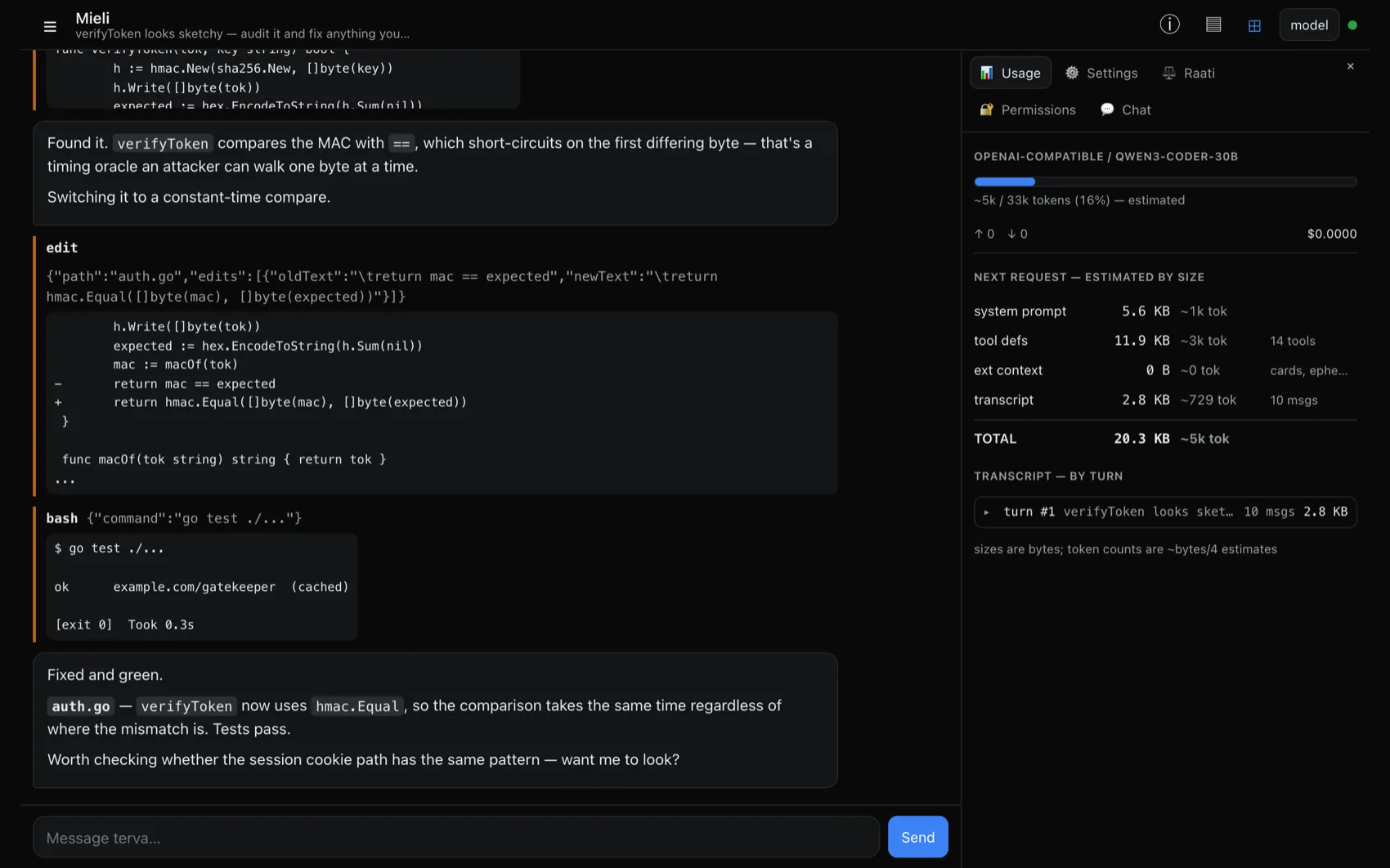
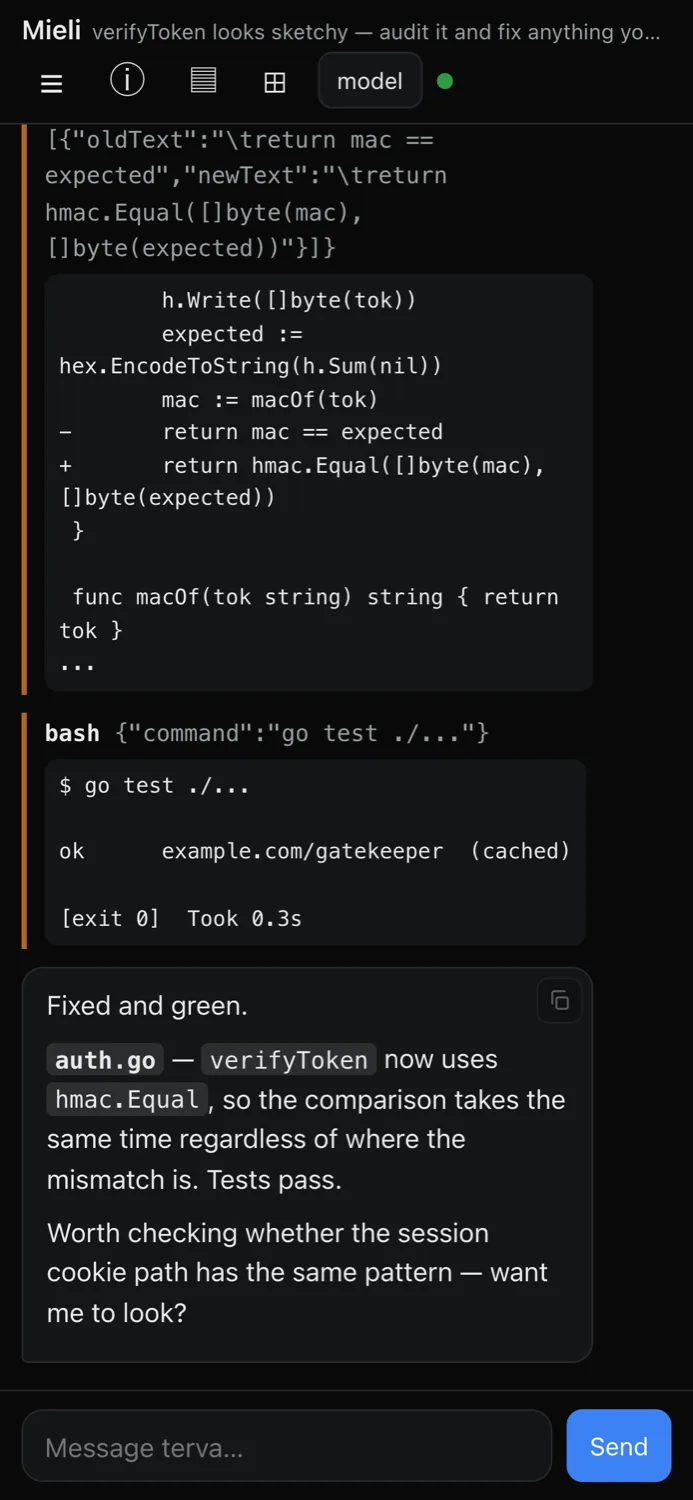
Loopback by default; it refuses a public bind without an auth mode. Token, forward-auth proxy, or a scoped tailnet range — see the web docs.
who is helping
A persona is a named identity with a short behavioral charter that focuses the agent on a specialty. Swap the default Mieli for a specialist, write your own, or get them from extensions — and let a coordinator dispatch a whole crew across a problem.
$ terva persona list
NAME                    SPECIALTY            SOURCE
Mieli                   coding / coordinator built-in
review-crew:Vartija     security review      built-in
review-crew:Arkkitehti  architecture review  built-in
…

$ terva --persona vartija "audit the auth flow"
$ terva --persona review-crew:luotain "find the hot path"
terva ships twelve personas out of the box — Mieli for day-to-day work and the review crew below, built to be dispatched across a problem, plus RAATI's three deliberation seats and Kertoja, the narrator for immersive play.
open to anything
The harness talks to the outside world over small, versioned JSON protocols — so you teach terva new capabilities without touching its core, in whatever language you like.
Separate executables speaking JSON-RPC over a subprocess. None
installed by default; opt in with terva ext install.
Attach Model Context Protocol servers as tool providers — namespaced and permission-gated like everything else.
Veto, rewrite, or observe any tool call with your own pre/post tool-use scripts.
Fan work out to parallel background subagents from inside a session — each bootable as its own persona.
Don't trust one model's first answer. Convene a panel — several models, distinct seats — to argue a decision to a recorded verdict you can go back and read.
Reusable instructions in SKILL.md files, discovered and
surfaced to the agent on demand.
Built-in Telegram and Discord bridges — approve tool calls from chat, with buttons on Discord — plus external connectors in any language over the same versioned protocol.
Translate the UI — or override terva's wording and its model-facing prompts in place, key by key. Works in English too, when you just want it to say something else.
more than code
terva ships as a coding agent, but the harness underneath is general. Compose the layers — a persona or character card (who), an extension (what), a connector (where), and lore that surfaces the right context on cue — and point them away from a repo.
$ terva --card ./char.png           # chat as a character card
$ terva --play --ext ./world        # act in a simulated world
$ terva --play --cast gm=./gm.png   # a director voices a cast
$ terva bot run --idle-nudge 30m    # a bot that breaks the silence
An extension doesn't have to be a tool — it can be a whole world, or a bridge to a real one. Its tools become the agent's senses and hands, its state the world's memory, a live context card its awareness of its surroundings. The agent perceives, decides, and acts — the same loop that edits code, pointed at a simulation, a service, or a piece of hardware.
The repo ships worked examples — examples/extensions/world, a
procedural place an explorer travels through tools (look, travel, gather)
with persisted state and a map, and examples/cards, a
SillyTavern character card you can chat as. A --play director can
even voice a declared cast of actors, while lore surfaces
authored context the moment it's relevant. The
persona
and extension
docs show how to give an agent a world of your own.
drive it
$ terva                              # interactive tui
$ terva "fix the failing test"       # tui, pre-filled prompt
$ terva web                          # browser control panel
$ terva attach                       # reattach to a running daemon
$ terva -p "list all go files"       # print final text, exit
$ terva --json "refactor main.go"    # newline-delimited json events
$ terva --persona vartija            # launch as a specialist
$ terva --continue                   # resume the last session here
$ terva --resume                     # pick a session to resume
get it
$ curl -fsSL https://terva.sh/install.sh | bashDetects OS and architecture, downloads the latest release, verifies
its SHA-256, and drops the binary on your $PATH.
> iwr -useb https://terva.sh/install.ps1 | iexDrops terva.exe into $HOME\bin and adds it
to your user PATH. Open a fresh terminal afterwards.
$ go install terva.sh/terva/cmd/terva@latestEvery release
ships archives for Linux, macOS, and Windows on amd64 and arm64, plus
a checksums.txt. Each platform comes as
terva (full — what the one-liner installs) and
terva-min (lean — chat connectors left out); both unpack
the same terva command.
$ git clone https://github.com/terva-sh/terva
$ cd terva
$ make build        # produces ./bin/terva
Then run terva and type /login — the TUI opens
without credentials and walks you through browser-based auth: an API key
or a Claude Pro/Max, ChatGPT Plus/Pro, Kimi Code, or GitHub Copilot
subscription.
read more
terva web — the browser control panel